StudyPro logoStudyPro
HomePricingBlogAbout

AI Paraphraser for Students

Use StudyPro to rewrite sentences, paragraphs, essays, and academic text while working to preserve the original meaning. Compare the original and revised versions, improve clarity and tone, and continue editing in the same workspace.

Paste the text you want to paraphrase...
0 wordsCtrl+V to paste
Drop a file here or click to upload (PDF, DOCX, TXT)

New accounts include 50 trial credits. No card required. Paid plans are designed for longer documents and regular use.

See It in Action

Watch StudyPro rewrite an excerpt, with the original alongside the revised version, allowing the student to choose what to use.

Paraphrased text shown next to the original passage in the StudyPro editor
1 / 2
  • Compare original and paraphrased text
  • Review changes before accepting them
  • Continue editing inside the StudyPro editor

How to Use the AI Paraphraser

1

1. Paste or upload your text

Paste your sentence, paragraph, essay draft, research note, or discussion post into the editor. You can also upload a supported file if that option is available.

2

2. Select the paraphrasing tool

Choose Paraphrase from the writing tools in StudyPro. It reads the passage you selected for meaning, context, structure, and tone, then drafts a new version.

3

3. Generate a new version

StudyPro rewrites the passage with different wording and sentence structure, working to preserve the original meaning as closely as possible.

4

4. Review and refine the result

Review the original and revised versions side by side, confirm the meaning is accurate, and keep editing with StudyPro’s grammar and style checker, citations, humanizer and enhancement tools.

Why Students Use StudyPro to Paraphrase Text

Paraphrasing is more than word substitution. Students use StudyPro to clarify ideas, sharpen academic style, cut repetition, and simplify dense passages while working to preserve the original meaning.

Improve academic writing

Turn everyday or conversational language into a formal tone suitable for papers, reports, assignments, and online discussions.

Avoid repetitive wording

When a draft keeps repeating the same phrases, transitions, or sentence patterns, find new ways to express the same idea.

Simplify difficult text

Rephrase confusing and awkward passages to improve readability while retaining the original intent.

Strengthen tone and clarity

Improve the vocabulary, tone, and style of the text to make it more academic or professional.

Save time during revision

Start from a rewritten version and focus your time on improving the result rather than reworking every word yourself.

Learn from alternative phrasing

Compare the two versions side by side to see how word choice, sentence construction, and tone affect clarity.

Features for Academic Paraphrasing

Meaning-focused rewriting

Change the wording and sentence structure while working to preserve the original idea and context.

Sentence and paragraph rewriting

Paraphrase individual sentences, multiple paragraphs, or specific portions of a lengthy academic text.

Academic tone improvement

Elevate informal or unclear text for college-level assignments, essays, reports, and research papers.

Varied vocabulary and structure

Vary vocabulary and sentence structure with more precise wording, not a thesaurus pass.

Multi-paragraph paraphrasing

Rewrite multiple connected paragraphs within the document and usage limits of your current plan.

Integrated writing tools

Switch to grammar correction, improvement recommendations, citation support, AI humanizing, and originality checking in StudyPro.

Need something else? You can start a new draft with the AI Writer, make AI-assisted writing sound more natural, review writing improvement suggestions, or check whether text contains AI-like patterns.

How Our AI Paraphrasing Tool Works

Instead of replacing a word here and there, StudyPro’s AI paraphrasing tool looks at the entire context of your writing. It considers the main message, how the sentences relate to each other, the writing style, and the overall organization before making modifications.

It may reshape sentence structure, cut unnecessary words, improve flow, and smooth out clunky language. The aim is to help students express an idea more clearly while the original meaning stays intact — something you should confirm by reading the result.

Whereas most article spinners are designed for general text, StudyPro is designed for academic and student use. It can be used for essays, research notes, discussion board posts, reports, and similar types of writing. That said, students should still go over each output to confirm no changes were made to facts, quotes, jargon or the overall sense.

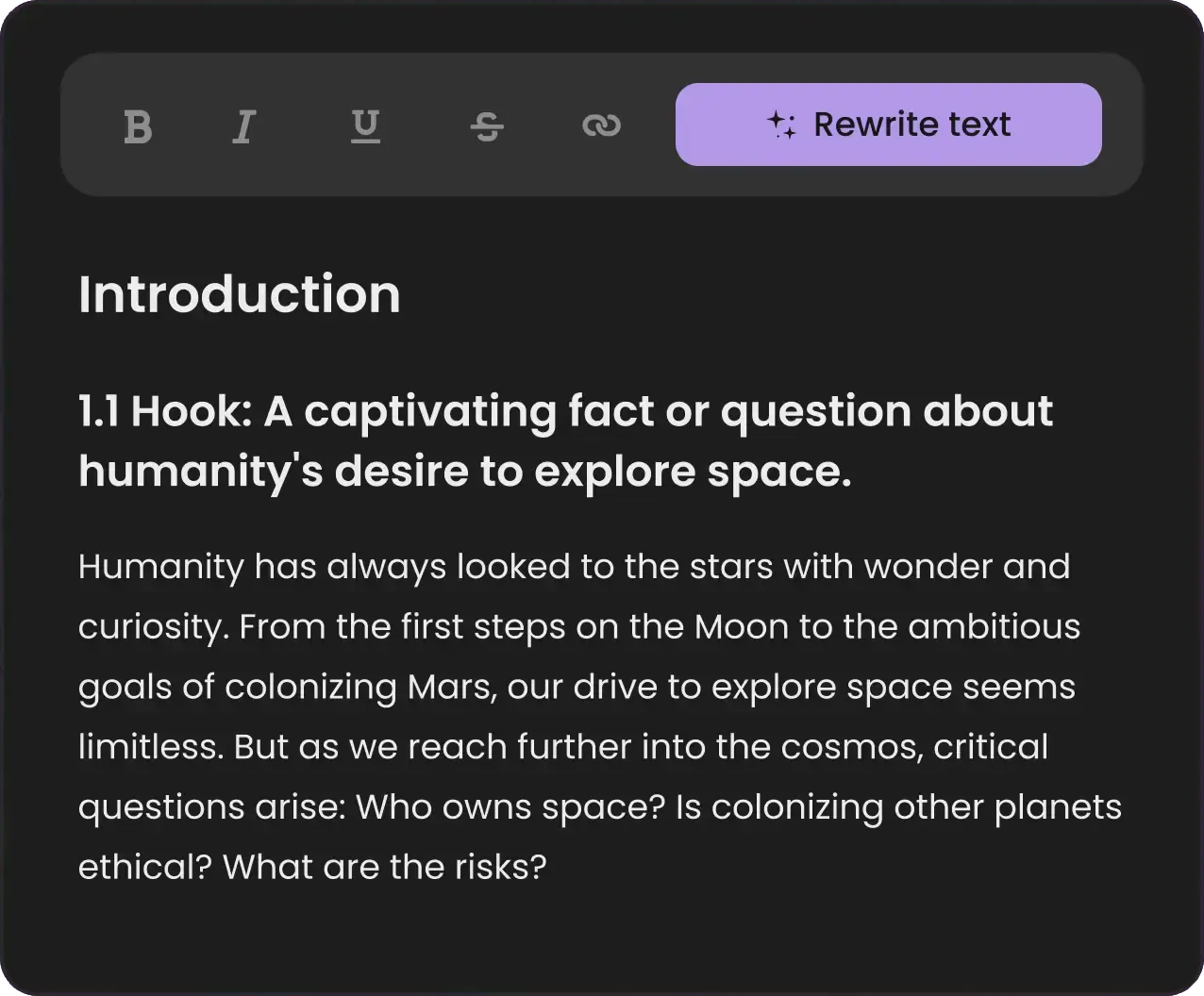
StudyPro AI paraphraser rewriting a highlighted paragraph in the editor

AI Paraphrasing Examples

These examples show how the wording and structure of a passage can change while the original point is preserved.

Example 1: Improve academic tone

Original

Many students do worse in class because they do not sleep enough.

Paraphrased

Insufficient sleep can negatively affect students’ academic performance.

What changed

The conversational wording was replaced with a more formal academic style, and the original point is preserved.

Example 2: Reduce repetition

Original

Online learning gives students flexibility. This flexibility helps students study at times that are convenient for them.

Paraphrased

Online learning allows students to study at more convenient times, giving them greater flexibility.

What changed

The repeated word “flexibility” was removed and the two sentences were combined.

Example 3: Simplify a complex sentence

Original

The implementation of preventative public health interventions may contribute to a reduction in the transmission of respiratory illnesses.

Paraphrased

Preventive public health measures may help reduce the spread of respiratory illnesses.

What changed

The revised sentence is shorter and easier to read while preserving the original point.

Common Academic Paraphrasing Uses

Essays and assignments

While revising, reword awkward passages, improve transitions, and rewrite repeated ideas.

Research papers

Restate information from a source in your own words, keep the author’s meaning accurate, and add the proper citation.

Discussion posts

Check the tone and improve clarity before submitting short academic responses or peer posts.

Literature reviews

Assess and combine ideas from multiple sources without overusing quotation marks.

Study notes

Restate difficult material in plainer language so the main ideas are easier to follow and remember.

Scholarship and application writing

Improve clarity, vary sentence construction, and polish personal or academic statements while preserving the student’s own experience and perspective.

Paraphrase sources accurately and cite them correctly — you can also review originality with the Plagiarism Checker before you submit.

How to Paraphrase Sources Correctly in Academic Writing

Paraphrasing changes the wording of a source, but it doesn’t make the idea yours. If a quotation, fact, analysis, or idea belongs to someone else, you’ll likely need to give them credit with a citation.

  1. 1

    1. Read and understand the source

    Make sure you fully understand what the author is saying before you start rewriting.

  2. 2

    2. Rewrite the idea, not individual words

    Rewrite the sentence structure and phrasing rather than swapping in a few synonyms.

  3. 3

    3. Compare both versions

    Check that the reworded version does not include any of the original’s unique phrases or inadvertently change the author’s intended meaning.

  4. 4

    4. Keep facts and terminology accurate

    Statistics, dates, technical terms, names, definitions, and research conclusions must stay exactly as they were.

  5. 5

    5. Add a citation

    If the information came from another source, add a citation in the required style, such as APA, MLA, or Chicago.

  6. 6

    6. Use quotation marks when needed

    If you want to use the author’s words verbatim, use quotation marks and cite the source.

Try the Citation Assistant

Paraphrasing vs. Other Writing Tools

StudyPro gives you a different tool for each stage of the student writing process. Pick the one that matches what you are trying to refine.

Comparison of StudyPro writing tools, their purpose, and what each is best for
ToolPurposeBest for
AI ParaphraserRewrites existing text while working to preserve its meaningAlternative wording, clearer sentences, and academic revision
AI WriterCreates new drafts, outlines, and contentStarting an assignment or overcoming writer’s block
AI HumanizerMakes robotic or generic AI-assisted text sound more naturalTone, rhythm, and natural expression
Grammar & Style CheckerCorrects grammar, spelling, punctuation, and styleFinal proofreading
Improvement SuggestionsIdentifies clarity, organization, and writing-quality issuesDeeper revision
Citation AssistantCreates and manages citationsAPA, MLA, Chicago, and source attribution
AI DetectorEstimates whether text contains AI-like patternsReviewing AI-assisted drafts

AI Paraphraser

Purpose: Rewrites existing text while working to preserve its meaning

Best for: Alternative wording, clearer sentences, and academic revision

AI Writer

Purpose: Creates new drafts, outlines, and content

Best for: Starting an assignment or overcoming writer’s block

AI Humanizer

Purpose: Makes robotic or generic AI-assisted text sound more natural

Best for: Tone, rhythm, and natural expression

Grammar & Style Checker

Purpose: Corrects grammar, spelling, punctuation, and style

Best for: Final proofreading

Improvement Suggestions

Purpose: Identifies clarity, organization, and writing-quality issues

Best for: Deeper revision

Citation Assistant

Purpose: Creates and manages citations

Best for: APA, MLA, Chicago, and source attribution

AI Detector

Purpose: Estimates whether text contains AI-like patterns

Best for: Reviewing AI-assisted drafts

Frequently Asked Questions About the AI Paraphraser

What is an AI paraphraser?

An AI paraphraser is software designed to take text from a document and generate a new version of it with different words and sentence structure, while attempting to preserve the meaning. It may help students comprehend a complex passage, avoid repetition, find other ways to convey an idea, and edit a rough draft of an essay.

How does StudyPro's AI paraphrasing tool work?

StudyPro analyzes the meaning, syntax, style, and context of your text, then returns a rewritten version. It can swap vocabulary, reorder sentences, adjust transitions, and clean up clumsy phrasing.

Is StudyPro's AI paraphraser free?

StudyPro is designed primarily as a paid product. New accounts currently include 50 trial credits. Paraphraser access and usage limits depend on your plan. See the Pricing page for current plans and allowances.

Can I paraphrase an entire essay?

You can paraphrase longer passages within your plan's document and usage limits. For essays, work section by section and review the meaning, facts, terminology, citations, tone, and consistency before accepting changes.

Will the paraphraser preserve the original meaning?

The tool works to keep the content of the source intact, but automatic rewrites are not always perfect. Compare the output with the source, especially when the passage contains research findings, definitions, quotations, or technical terms.

Is using an AI paraphraser plagiarism?

A paraphrasing tool can support legitimate revision, but presenting source-derived ideas without attribution can still be plagiarism. Preserve the author's meaning, write genuinely in your own words, and cite the source whenever attribution is required.

Do I need to cite text after paraphrasing it?

Yes, generally. Whenever an idea, fact, claim, or result is paraphrased, make sure to credit the original author in the academic style in use. The Citation Assistant can help you with this.

Can I use a paraphrasing tool for academic writing?

It can help you clarify a passage, vary vocabulary and sentence structure, or adjust the tone. Check your school's AI policy first, and remember that you remain responsible for the accuracy and originality of what you submit.

What is the difference between paraphrasing and summarizing?

Paraphrasing restates a passage at roughly the same level of detail. Summarizing takes a longer source and condenses it down to the main ideas.

What is the difference between paraphrasing and humanizing?

A paraphrasing tool restates a passage in different words while working to preserve the original meaning. An AI humanizer takes text that sounds stiff or artificial and restates it so it reads more like a person wrote it.

Does the paraphrasing tool also correct grammar?

Some issues get cleaned up along the way, but that is not what the tool is for. Run the rewritten passage through Grammar & Style Checker to review grammar, punctuation, and style separately.

Can I paraphrase research papers and source material?

It can be appropriate when the original meaning, facts, quotations, and terminology remain accurate and the original author is credited. Check your institution's AI and academic-integrity policies, and do not use paraphrasing to disguise copied text.

Can I paraphrase multiple paragraphs at once?

Yes. How much text you can process in one pass depends on your plan's credit allowance and the document-size limits, and the tool shows those limits before you run it.

Is my text stored?

StudyPro handles submitted and saved text according to its Privacy Policy. Review the policy for information about data processing, retention, deletion, and third-party services.

Ready to Improve Your Writing?

Paraphrase academic text, review every change, and continue editing with StudyPro's complete writing toolkit.

Use your 50 trial credits to test the paraphraser, then choose a plan that fits your writing workload.

Explore More Tools

AI Writer

Write a new section from scratch when rewording is not enough

AI Detector

Check how a rewritten passage reads to AI-pattern analysis

Humanize AI Text

Apply a natural academic voice across the whole document

Plagiarism Check

Re-check rewritten passages for any remaining source matches

Smart Editor

Rewrite selected text inside your document and keep working

Improvement Suggestions

Find out whether a paragraph needs rewording or rethinking

Grammar & Style Check

Proofread the rewritten version before you keep it

Citation Assistant

Keep the citation attached to the passage you reworded

StudyPro

AI-powered writing tools built for students.

Skillhub-FZCO

IFZA Business Park, DDP,

PO Box 342001, Dubai,

United Arab Emirates

Product

  • Pricing
  • Blog

Company

  • About
  • Code of Conduct
  • Privacy Policy
  • Refund Policy
  • Terms and Conditions
© 2026 StudyPro. All rights reserved.